
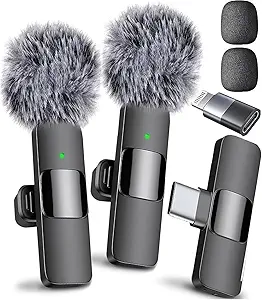
The best wireless microphones of 2026: Sound without the cords.
A Wireless Microphone You Can Actually Trust: Introduction.
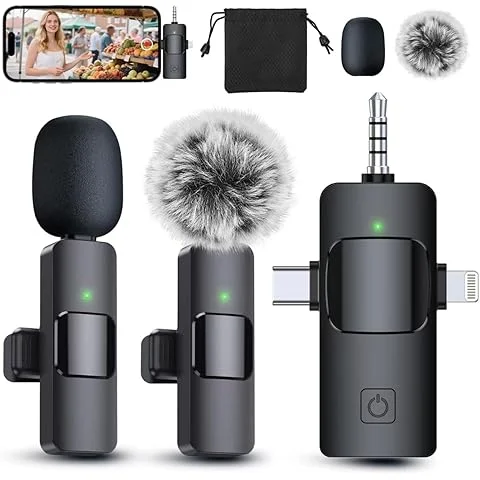
The best wireless microphone will make recording sound easier, not think about technology every few minutes. No matter if you’re creating a YouTube video, recording an on-air interview, delivering a presentation, recording a podcast, or performing on stage, one thing the microphone needs to do is sound good and capture your voice clearly and consistently. In 2026, the wireless microphone industry is increasingly competitive, with the compact systems including features previously exclusive to high-end pro models. The latest testing and purchasing advice features DJI, RØDE, Hollyland, Sennheiser, Shure, and others among the options and varying products cater to beginners, mobile creators, filmmakers and professionals.
The worst error is picking a wireless microphone on the basis of the numbers that its product page boasts. The large advertised range is no guarantee of a perfect connection and strong noise cancellation is not necessarily a good sign of good speech clarity. The important part is how the microphone performs when it’s time to use it: walking away from the camera, turning around to make the shot, recording next to traffic, handling the wind or switching from phone to camera. In fact, some of the wireless systems tested recently had a range of about 350 to 400 feet when the transmitter was aimed at the receiver, but the signals were poor much sooner when the transmitter was pointed away from the receiver. Hence, this guide is not about merely repeating the manufacturers’ specification, and instead concentrates on the practical performance.
The popularity of wireless microphones is understandable, isn’t it?
It’s a freeing feeling to take a cable out of your recording rig. You can walk a room, show a product, talk to an interview subject over a table or record audio outside the room without constantly having to look out for the cable. This flexibility can also make it easier to shoot for content creators, as the microphone won’t force their position or movement. Modern systems are also very compact compared to the previous wireless microphone equipment, some transmitters can be clipped to clothing. The portability, combined with their freedom, is why wireless microphone systems are a staple of present-day creator packs.
Wireless microphones are also convenient because of another reason. There are many systems available today that come in full packages, including an array of transmitters, a receiver, a charger, adapters, cables, and wind protection, so you can begin recording only a few minutes after unboxing. Some newer systems can be plugged directly into a smartphone, others are developed to operate with cameras or computers or multiple devices via other receivers and adapters. The current 2026 guide from Digital Camera World points out from the basics of plug-and-play cameras to the professional cameras with an on-board recording and advanced controls. You can use one small case in your camera bag and have all the audio accessories you need with you, instead of packing all the separate ones.
Why is there a difference between the best wireless microphone?
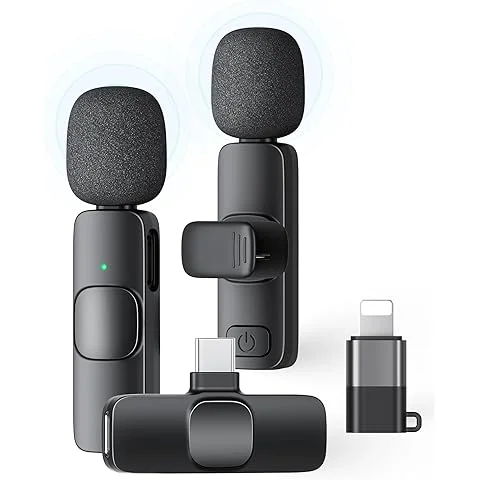
Not all the most expensive microphones are the best wireless options available. They are the systems that harmonize the qualities of sound, reliability, battery life, range, compatibility and ease of use for the individual using them. The production person working on a documentary would want in-house recording and sophisticated gain control while the person shooting a short video for social media may be more concerned with size and the ability to connect with their smartphone quickly. A performer who is performing live has different requirements to any teacher recording a lesson online. Use the right microphone for the job, rather than the wrong job for the microphone.
The quality of sound should always be a priority in your list. Talk to your audience about your camera, and it can cost you. The ideal wireless microphone should deliver speech without undue processing that is natural, detailed and balanced. New evaluations of several wireless systems revealed substantial variations in microphone tonal quality, noise rejection and quality of sound in the background noise environment. For that reason, it is better to invest in a microphone that sounds great in the recording than one with an extended spec sheet.
Best wireless microphones for YouTubers.
Generally, YouTube creators look for a microphone that’s easy to use and quick to operate, yet powerful enough to create high-quality audio. A small clip-on transmitter is ideal as it can be placed on the presenter’s shirt and allows focus to be placed on the presentation itself. This design is suitable for tutorials, product reviews, cooking videos, travelling videos, educational videos, interviews and walking videos. When recording by yourself, a single transmitter setup could be sufficient, but for frequent interviewers, a two-transmitter solution is beneficial.
A great creator microphone will additionally be compatible with the devices you already have. Some manufacturers might want to use USB-C or Lightning, while others who use cameras might want to have a 3.5mm output or another camera-compatible port. Some modern systems are more advanced and can have multiple transmitters plugged into a single receiver, ideal for recording multiple users. The market in 2026 has a variety of products, including DJI Mic 3, RØDE Wireless Pro, Hollyland Lark A1, RØDE Wireless Micro and Hollyland Lark M2S, with each device appealing to different audiences and budgets.
Best Wireless Microphones for Interviews
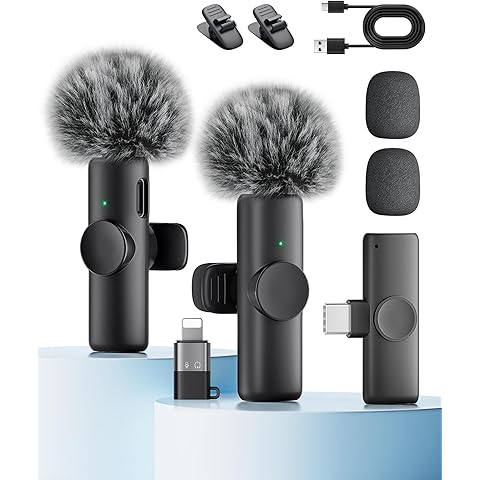
Interviews. They’re where wireless microphones really shine. Picture this: you’re trying to follow someone down a bustling street, a wired mic tethered to a camera. Awkward, right? The cable can snag and trip up both the interviewer and the guest. But with a wireless setup, each person wears a tiny transmitter. The camera? It picks up both voices—no cords in the way.
For interviews, keep an eye on dual-transmitter support, internal recording, noise reduction, battery life, and monitoring. Two transmitters mean the interviewer and guest each have their own mics. Internal recording is a lifesaver—if the wireless signal drops, you still have a backup. Critical for documentaries, journalism, weddings, business interviews—any place where redoing the conversation isn’t an option. Recent tests show internal recording and noise cancellation are key battlegrounds for today’s wireless microphone systems.
Best Wireless Microphones for Podcasts and Indoor Recording
When you are doing podcasts and indoor conversations you do not need a wireless range.. That does not mean the quality of the microphone is not important. In a room you can hear the little differences in the way people talk. So you want a microphone that sounds natural. You do not want one that uses a lot of processing to make it sound good.
A wireless system is also really helpful when you have guests who need to move.. When you are not recording at a desk. For people who do video podcasts wireless microphones make it easier to position the camera. The people talking do not have to stay next to the microphone.
Recording internally is really useful too. It gives you control when you are editing. You are not just relying on the audio from the camera. You have a recording on the transmitter. For example RØDEs Wireless Pro is known for recording with 32-bit float and it has a lot of professional features. Other companies like DJI are also making systems. The important thing is not what company made it. Whether it helps protect your recordings and makes editing easier. Wireless microphones like these are really helpful, for podcasts and indoor recording.
Best Wireless Microphones for Live Performance
When it comes to performances wireless microphones are a must. For people who perform live wireless audio is really important. If something goes wrong with the audio a YouTuber can just stop recording. Start again.. A singer who is on stage does not have this option. The microphone has to keep working when the singer is moving around turning, talking to the audience and using wireless equipment at the same time.
In a setting it is very important to manage frequencies and avoid interference. This is because there may be wireless systems being used at the same time.
- The microphone should not lose connection
- It should be easy to use
- It should sound good
For performances you need a good wireless microphone. This kind of microphone is different from the ones used by people who make videos on YouTube. Singers who perform on stage like to use wireless microphones or special headsets. They do not like to use microphones that you clip on to your clothes.
The important thing is that the microphone works well and does not lose connection. If a microphone sounds a little better but keeps losing connection it is not a choice for a live performance. The best microphone is one that lets the singer focus on the performance and not worry about the technology. Wireless microphones for performance should be reliable. The best wireless microphones, for performance are the ones that work well and do not cause any problems.
Wireless Range: Bigger Numbers Are Not Always Better
The wireless range is something that people often get wrong. Companies that make these things usually say how far they can reach when everything is perfect. The place you are using it is probably not perfect. There are walls and people and metal things and other devices that can get in the way of the signal. Where you put the transmitter can make a difference. Some tests that PetaPixel did showed that some new systems can work from about 350 to 400 feet away when there is nothing in the way. When the person turned away from the receiver the signal did not work as well.
This is really important for microphones that you wear on your body because your body can block the signal. A microphone might work great when you are facing the camera. It might not work as well when you turn around. That does not mean the microphone is broken it just means that the wireless signal is affected by the world. For people who make videos for YouTube it is more useful to have a connection in a normal room or a small area outside rather than being able to transmit from really far away. Unless you really need to transmit from away for your work do not spend all your money trying to get the biggest wireless range. Wireless range is what matters and bigger numbers are not always better, for your range.
Battery Life and Charging
The battery life of a device is not really something people think about until it starts running out. This can be a problem when you are in the middle of something important like an interview and you hear that low-battery warning. Most wireless systems have batteries that you can recharge in the transmitters and receivers. A lot of these systems also come with a case that you can use to charge everything when you are not using it. This is really useful for people who make videos and have to move a lot because they can just put all their stuff in one place and charge it.
When you are trying to figure out which system has the battery life you should not just look at one number. You need to look at how the transmitter works how long the receiver works how much power the charging case can hold and how fast it can charge. If you compare these things you will see that there are some differences between the popular systems. Some of them can run for around seven to ten hours on one charge depending on what model you have. How much battery life you need really depends on what you’re doing. If you are just making videos you do not need a lot of battery life.. If you are making a movie and you have to film all day you need a system that can last a long time. Battery life is something to think about when you’re choosing a wireless system because a system, with good battery life can make your life a lot easier.
Noise Cancellation and Background Sound
Background noise is one of the biggest enemies of clean dialogue. Traffic, air conditioners, fans, crowds, wind, restaurants, and construction can all compete with the speaker’s voice. Modern wireless microphones increasingly include built-in noise reduction designed to make voices easier to understand in these environments. That can be incredibly useful, but there is a catch: stronger processing is not always better.
If noise reduction is too aggressive, the speaker’s voice may begin to sound artificial, thin, or strangely compressed. Current testing of wireless systems has specifically compared different approaches to noise cancellation and found noticeable differences in how natural voices remain after processing. For clean indoor recording, you may prefer minimal processing and handle noise during editing. For a busy street interview, however, built-in noise reduction can be a lifesaver. The best system gives you enough control to choose the approach that fits your environment.
Internal Recording and 32-Bit Float
One of the useful advances in modern wireless microphones is internal recording. Of depending completely on the wireless link between the transmitter and the receiver the transmitter can make a copy of the audio. If the wireless signal has an issue there may still be a recording on the transmitter. This extra level of security can be very helpful when recording something that’s not easy to do again.
32-bit float recording has also become a feature in high-end and mid-range wireless microphones. It offers a lot of flexibility when working with changing levels during editing especially when the audio was recorded with the right gain setup. Many current systems now offer 32-bit recording, including RØDE Wireless Pro and the latest DJI products. However 32-bit float should not be seen as a solution, for everything. Good microphone placement and proper recording methods still matter because high-end recording formats cannot solve every issue.
Smartphone Compatibility
For a lot of people who make videos and things their phone is now the camera they use. So it is really important to make sure a wireless microphone works with your phone before you buy it. If a microphone can connect to your phone easily that is a lot better, than one that needs a lot of cords and adapters. Nowadays a lot of phones and tablets and computers use USB-C so that is something to look for.
When you are going to buy a microphone check what kind of connector it has and what comes with it. Some microphones come in versions and the part that picks up the sound might not work with every device. Digital Camera World says that it is really important to check if a microphone can connect to your phone with USB-C or Lightning. If you take a minutes to check this you can avoid buying a microphone that kind of works but needs extra stuff to actually use it.
You should check the package to see what you get because some microphones need things to work with your phone. Smartphone compatibility is really important so make sure to check that before you buy a microphone.
Camera Compatibility
Camera users have a set of needs that’re a little different, from others. Many mirrorless cameras and DSLR cameras use 3.5mm microphone inputs. Some high-end cameras have advanced audio connections. A wireless microphone that works with cameras should connect properly and give the right level of sound. Some receivers also have headphone monitoring. This can be very helpful because you can hear what the camera is picking up while you are recording.
If you often switch between a smartphone and a camera look for a system that works with both. Do not buy microphones for each. Some wireless kits have adapters or receivers to make this possible. The DJI Mic 3 RØDE Wireless Pro and other similar systems are built to fit ways of working. The more devices you use the useful a flexible wireless system becomes.
a Simple Wireless Microphone Comparison
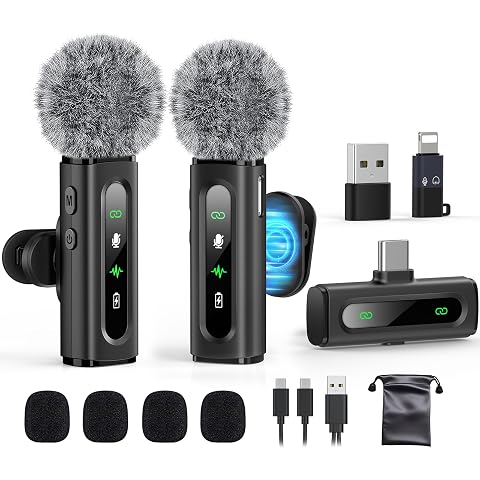
| Microphone System | Best For | Notable Strength |
|---|
| DJI Mic 3 | Professional creators | Advanced recording and long-range performance |
| RØDE Wireless Pro | Filmmakers and serious creators | 32-bit float internal recording |
| Hollyland Lark A1 | Budget creators | Affordable wireless performance |
| RØDE Wireless Micro | Beginners and smartphone creators | Simple plug-and-play operation |
| Hollyland Lark M2S | Compact creator setups | Small design and strong range |
| DJI Mic Mini 2S | Value-focused creators | Internal 32-bit float recording and noise cancellation |
These wireless microphones are not all the same because they are good for different people. If you look at the reviews from 2026 you will see that the DJI Mic 3 is a choice if you want the best. The Hollyland Lark A1 is good if you do not want to spend a lot of money. The RØDE Wireless Micro is easy to use because it is plug-and-play. The DJI Mic Mini 2S is also very interesting because it came out in August 2026 with features like internal 32-bit float recording and noise cancellation that uses artificial intelligence. You should think about how money you want to spend and what kind of recording you want to do when you choose a wireless microphone, like the DJI Mic 3 or the Hollyland Lark A1 or the RØDE Wireless Micro or the DJI Mic Mini 2S.
How to Choose the Best Wireless Microphone for Your Budget
You do not have to spend a lot of money to make your audio sound a lot better. Basic wireless microphones are really good now for people who make videos for social media do casual interviews make tutorials and create simple videos for YouTube. The thing to remember is to not buy a microphone because it is cheap. A wireless microphone that costs a little more but works well has a battery life and is compatible with your other devices can save you a lot of hassle in the long run.
If you are serious about making videos it might be worth spending money on a wireless microphone. This is because the extra features can really help you. For example being able to record inside the microphone having control over the sound being able to use multiple microphones at the same time reducing background noise and having a longer range can be really useful. Some of the wireless microphones cost between $250 and $300.. You can also find simpler wireless microphones for around $100 or less. So the best wireless microphone to buy is not the one or the most expensive one it is the one that has the features you will actually use. Wireless microphones are an investment if you choose the right one, for your needs and your budget.
Setting Up Your Wireless Microphone Correctly
A great wireless microphone will sound really bad if you do not put it in the spot. When you use a lavalier transmitter you need to put it where the wireless microphone has a path to your mouth. You should also keep it away from your clothes because they can rub against the microphone and make noise. This noise from your clothes is very easy to hear when you hide the microphone under loose clothes.
When you are recording outside you should put a windscreen on the microphone before you start. Do not wait until the wind starts making your audio sound bad.
You should always make a short test recording before you do something. Listen to see if the sound is too loud if it is too quiet if you can hear your clothes if there is interference if there is much background noise or if the audio and video are not synchronized. Check to see if the batteries in the transmitter and receiver are okay and make sure that the camera or phone is getting the signal, from the microphone. Doing these things can save you a lot of trouble. It is better to spend five minutes testing the microphone than to find out after a two hour interview that the wireless microphone was not working right.
Wireless Microphone Maintenance
Wireless microphone systems are electronic things that you can carry around so you need to take good care of them. You should keep the parts that send and receive sound in their cases when you are not using them especially when you are traveling. Do not get them wet. Leave them in very hot places. They should also not get dusty. Get bumped around. The little metal pieces that charge the microphones need to be clean because dirt can stop them from charging right.
You should always check your Wireless Microphone systems before you use them for something. Look at the cords the plugs, the clips that hold the microphone the covers that protect it from the wind the little metal pieces that charge it and all the other parts that connect things together. If your Wireless Microphone system can store recordings inside it you should move those recordings to another place regularly of leaving them on the microphone forever. A Wireless Microphone that is taken care of will work better when you need it to. You can not just buy something that works well you also need to take care of it to make it work well. Wireless Microphone systems are, like that too.
Final Verdict: Which Wireless Microphone Should You Buy?
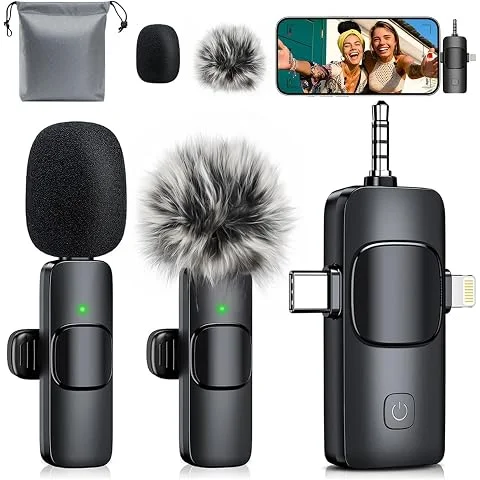
The wireless microphone market is really good now for people who make videos and music. These small systems can do a lot of things like record sound inside the microphone reduce background noise and work with your phone. They also have battery life and come with small cases that make them easy to carry. Some good wireless microphones are the DJI Mic 3 RØDE Wireless Pro, Hollyland Lark A1, RØDE Wireless Micro, Hollyland Lark M2S and DJI Mic Mini 2S. They are all prices and have different features.
If you make movies or videos for a living you need a microphone that sounds good can record sound inside the microphone and connects well to your camera or phone. You also need it to be easy to use and have a battery life. If you are just starting to make videos on YouTube you should look for a microphone that is easy to use has a long battery life and is not too expensive. If you do interviews it is nice to have two microphones and a backup system in case something goes wrong. If you perform live you need a microphone that is reliable and can handle a lot of people using microphones at the same time.
The important thing to remember is that your wireless microphone should not be something you have to think about when you are recording. You should be thinking about what you’re saying or doing not worrying about whether your microphone is working. Choose a microphone that is right for what you do try it out before you use it for something important and take care of it. If you do that a good wireless microphone can be an useful tool, for making videos and music.
Are wireless microphones worth buying
Yes wireless microphones are worth thinking about if you record video, interviews, presentations, performances or other content where moving around is important. They take away the limits of cables. Let the microphone stay near the person speaking while the camera or the device that records stays further away. Newer models have also gotten better with some providing built in recording, sound filtering, long distance sending and the ability to connect to phones. For people who record a lot the ease of use, by itself can make a microphone a great improvement.
What is the best wireless microphone for YouTube?
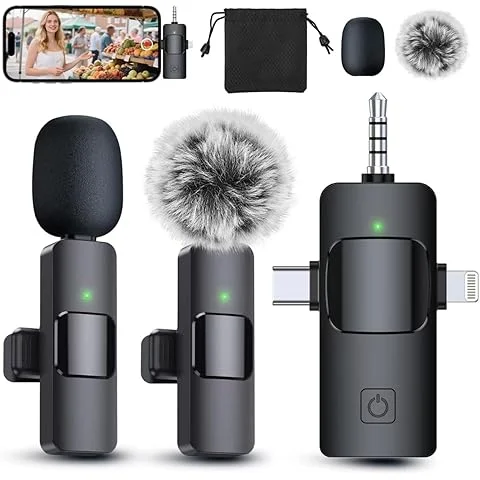
There is no model that is perfect for every YouTube creator. Current 2026 guides place the DJI Mic 3 among the leading premium options while the RØDE Wireless Micro and Hollyland Lark A1 offer more affordable alternatives. Your decision should depend on whether you need recording, multiple transmitters, smartphone connectivity, long range or advanced noise control. For a beginner simple operation may be more valuable, than a list of professional features.
Is 32-bit float recording important?
32-bit float recording is really helpful when you are recording voices that get very loud or very quiet all of a sudden. This is because it gives you a lot of options when you are editing the recording on. It is especially useful for things like interviews, documentaries and events where you cannot easily redo the recording. A lot of wireless recording systems now have 32-bit float recording, which shows how popular it has become.. You should not think that 32-bit float recording is a substitute for putting the microphone in the right place and using good recording techniques. 32-Bit float recording is, like an extra safety net to help you get a good recording.
Does noise cancellation make a microphone better?
Noise cancellation can make a microphone better in certain situations. For example it can help reduce traffic noise, fan noise and wind noise.. It is not always a good thing. If the processing is too strong it can make a persons voice sound weird. When we test microphones we see big differences in how they handle background noise and natural voice sound. If you usually record in rooms you might want a wireless microphone that sounds natural rather than one that cancels out all the noise.
How should a wireless microphone battery last?
It really depends on how you use the microphone. If you are just making videos, a few hours of battery life might be enough.. If you are recording all day you need a wireless microphone with a lot more battery life or a special case that can charge it. We see differences in how long the batteries last in different wireless microphone systems. Some popular models can last around seven to ten hours on one charge. If you travel a lot or record, for periods of time you should choose a wireless microphone system with a charging case and enough battery life to get you through your normal recording schedule.